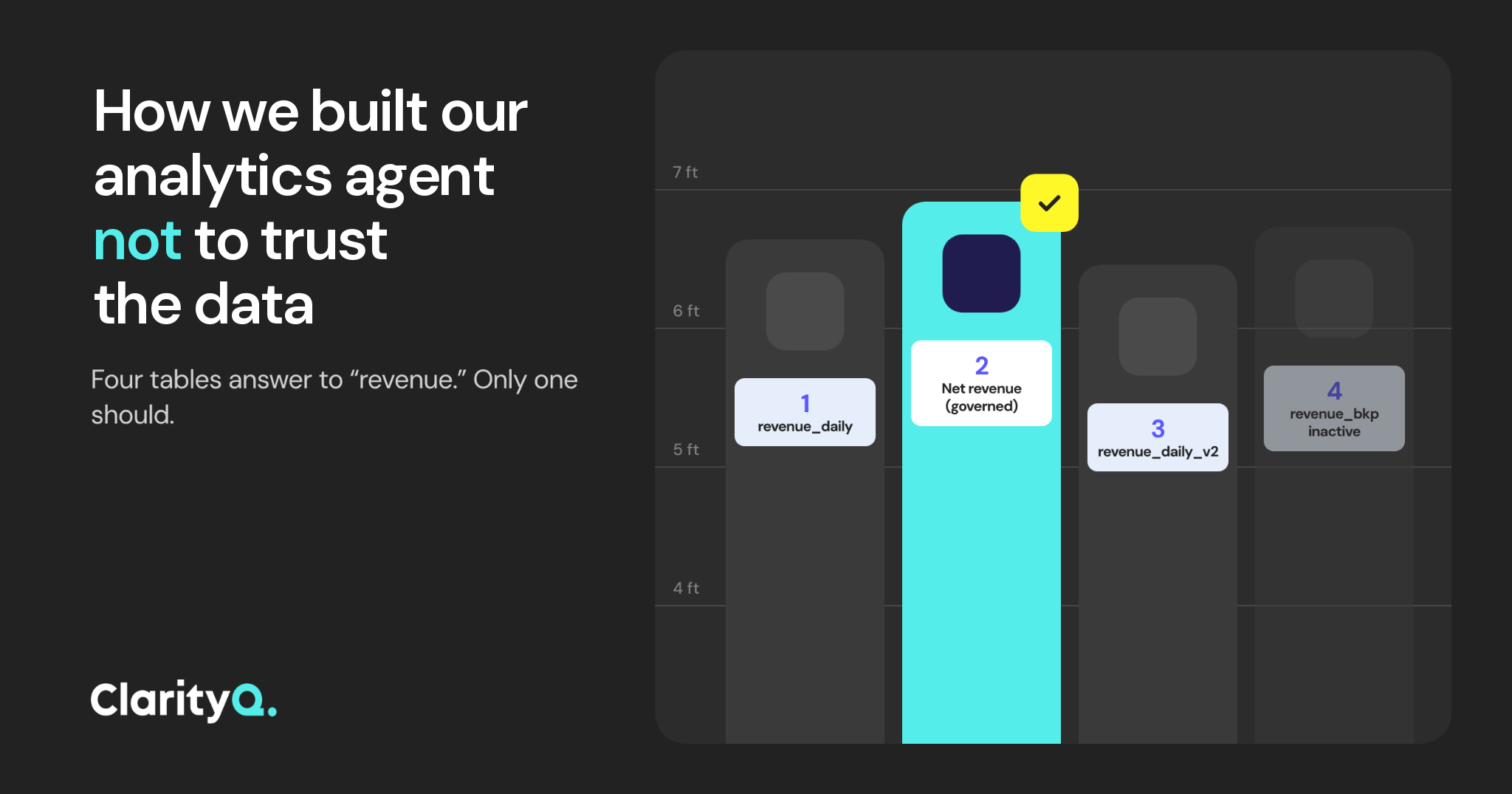
The big risk with AI isn’t an answer that looks wrong. It’s a wrong answer that looks right.
A data practitioner on Reddit shared a story from a friend’s team earlier this year: their internal AI analyst kept querying a table that had been deprecated about 18 months earlier. Every answer looked clean and reasonable, and reports built on it went to leadership for six weeks before the data team caught it (source).
That is a fundamental failure we designed against. We built ClarityQ to doubt every table, definition and result before it trusts them. Below is how.
Many data agent failures are loud: a broken query, an error message, a missing column. Those are easy. The dangerous ones are quiet:
In every case the agent returns a plausible number with full confidence. An analyst might catch it. Business users won’t.
Give a model raw warehouse access and ask about revenue. It will search for tables whose names look right: revenue_daily, revenue_daily_v2, revenue_daily_bkp. Then it picks one.
But a name is a weak signal, and in most warehouses it’s unreliable metadata. That’s where the problem starts.
So our agent doesn’t start with table names at all. It starts with the context, before it even looks at the data.
Every question goes through the same order:
To make this work, we built a harness around the model - the layer that decides where it looks and in what order. When a governed definition exists, the harness points the agent to the table behind it.
If "revenue" is defined once, in a governed metric, the agent uses that definition instead of guessing between three tables with similar names.
Think of it like a library. The tables are the books, and the harness is the librarian who keeps everything in order and knows exactly where to look. The agent isn’t built to wander around.
Repeatable analyses work the same way. They run as skills: pre-approved, step-by-step methods that include the clarifying questions the analysis needs.
When the agent does reach the Table Catalog, it isn’t looking at a bare list of names. Each table carries context that a name can’t:
Context is only useful if someone keeps checking and improving it. The data team can approve definitions down to the column and parameter level, and every answer shows whether the context behind it was approved.
New or changed definitions go through five steps before they’re available to everyone:
If the audit finds no conflicts, the definition goes live. If it’s uncertain, it gets flagged to the data team instead. We wrote a whole article about how we treat the Context Layer - read it here.
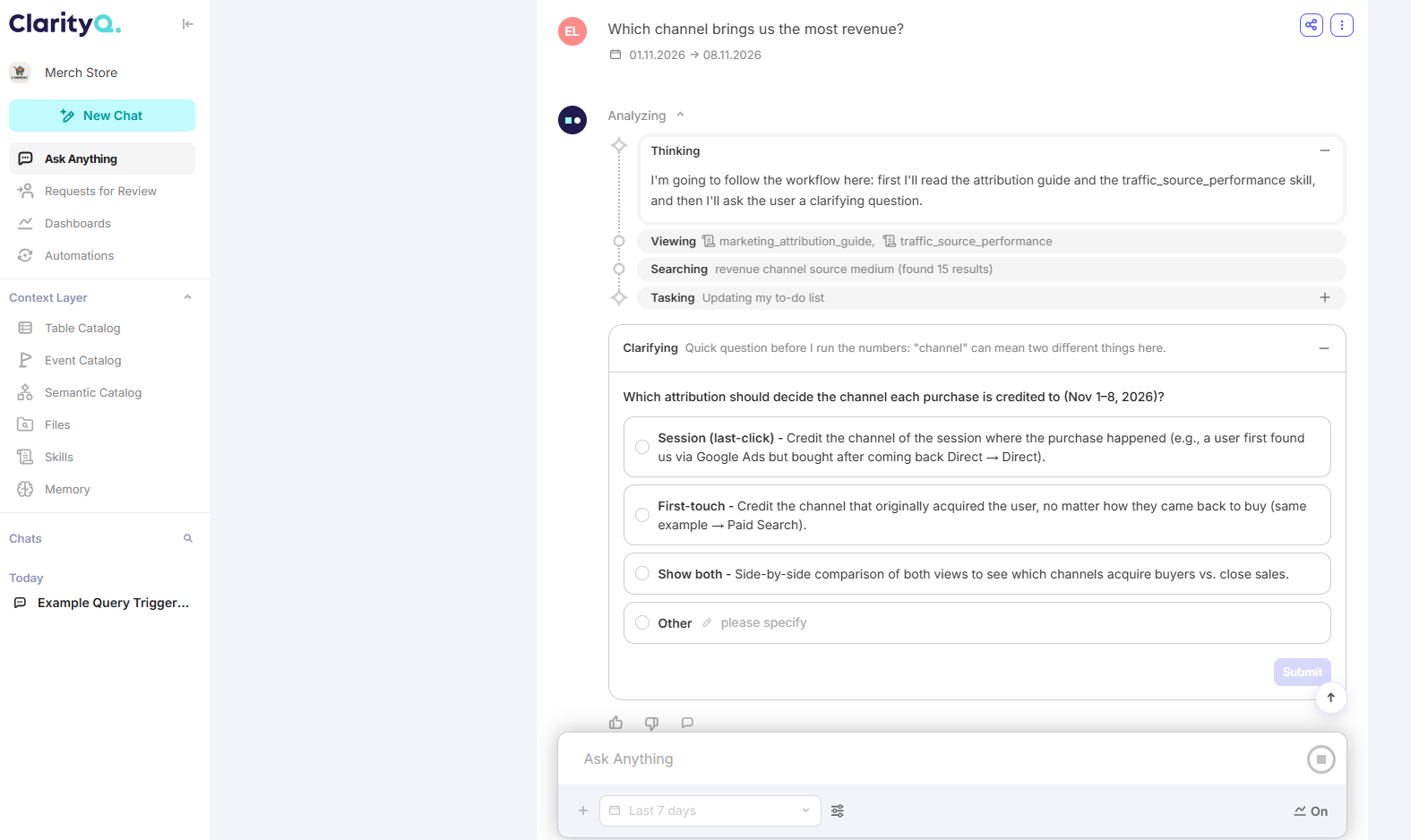
Sometimes the Context Layer holds more than one valid answer: daily or monthly active users, US-only or global, gross or net. When the agent finds more than one valid interpretation, we built it to stop and ask before it continues.
Example:
User: How many active users did we have last month?
Agent: "Active users" matches two definitions. Which one do you mean? (1) Daily active users, averaged over the month, or (2) monthly active users, unique over the month.
The same flow surfaces duplicate metrics, conflicting definitions, missing time windows and ambiguous filters.
This is harder than it sounds. A model’s instinct is to answer first, so teaching it to stop only when it should took real work.
Here is a screen from the product that demonstrates it:
Read more: How We Built a Reliable Data-Analysis Agent that Doesn’t Hallucinate
Here’s a single question run end to end. The data is illustrative.
Prompt:
What was D7 retention for players whose first transaction was in October, split by platform?
Step 1. Catalog search. The agent searches for "D7 retention", "first transaction" and "platform", with the harness guiding where to look. It finds a governed retention metric, a first-transaction event from the Event Catalog, and a platform dimension.
Step 2. Clarification. Two retention metrics match: one counts any session, one counts a session longer than 60 seconds. The agent asks which one, with both definitions shown. The user picks the first.
Step 3. Data gap. In this run, the agent also checked event recency by platform and spotted a gap: the first-transaction event has no data on PlayStation after October 24. When the agent spots a gap like this, it flags it before running the query:
Agent: The first-transaction event has no data on PlayStation after October 24. Players who converted after that date will be missing from that platform’s cohort. Do you want to run October 1 to 24 for all platforms, or the full month with this platform flagged?
Step 4. Query. The user picks the full month with the flag. The agent builds the SQL from the approved metric and event definitions and shows it in full, along with its reasoning:
-- generated from: metric D7 Retention (any session), event First Transaction
-- retained_d7 = any session on day 7
SELECT platform,
       COUNT(DISTINCT CASE WHEN retained_d7 THEN player_id END) * 1.0
       / COUNT(DISTINCT player_id) AS d7_retention
FROM first_transaction_cohort
WHERE first_transaction_date BETWEEN '2026-10-01' AND '2026-10-31'
GROUP BY platform;
Step 5. Validation and answer. Before anything is shown, the result passes through the validation engine. The user gets D7 retention by platform. The answer carries the PlayStation flag from step 3, plus the SQL, definitions and sources behind it and a context coverage badge.
Most AI analytics tools stop when the query runs. ClarityQ’s validation engine checks the work at every stage, from the moment a query is written to the moment the answer reaches you.
You see what it was built on. Every answer has a context coverage badge:
Each gap goes to your team’s Inbox, where it can be fixed in a click, so the next time someone asks a similar question, the answer is fully covered.
The badge doesn’t claim the answer is right. It tells you exactly how solid the knowledge behind it is, so you know when to trust a number and when to take a closer look. And because every gap you close makes the Context Layer stronger, answers get more reliable the more your team uses ClarityQ.
Warehouses don’t stay still. Schemas drift, events get renamed, a new table replaces an old one. A one-time setup goes stale within weeks.
So the Context Layer is maintained, not configured once:
Here’s the whole approach in one list. Use it to check our agent, or any other.
An agent that trusts its data will eventually pick the wrong table, and do it with confidence. That’s its nature.
The agent that doubts the data is the one you can trust.
Want to run these checks on your own data? We offer a free two-week POC. Book a time with our team to get started.